Lady Tamaraws raise hope for twice-to-beat playoffs
- April 20, 2024 10:11
FEU Advocate
January 17, 2026 19:05
By Shayne Elizabeth T. Flores
As the second semester of school year 2025-2026 loomed, Far Eastern University (FEU) students faced numerous enrollment concerns and difficulties in navigating the new Student Central NEO, which seemingly failed in its goal of providing Tamaraws with smoother online transactions.
Officially introduced last December, NEO aimed to improve students’ user experience in enrollment processes and other online services. This is in response to recurring concerns about the former Student Central system’s flaws, which Tamaraws have consistently grappled with during online enrollment periods in the past semesters.
However, as cited by students, NEO has not only failed to resolve the technology hiccups of the old system, but has also magnified their struggles in processing their enrollment.
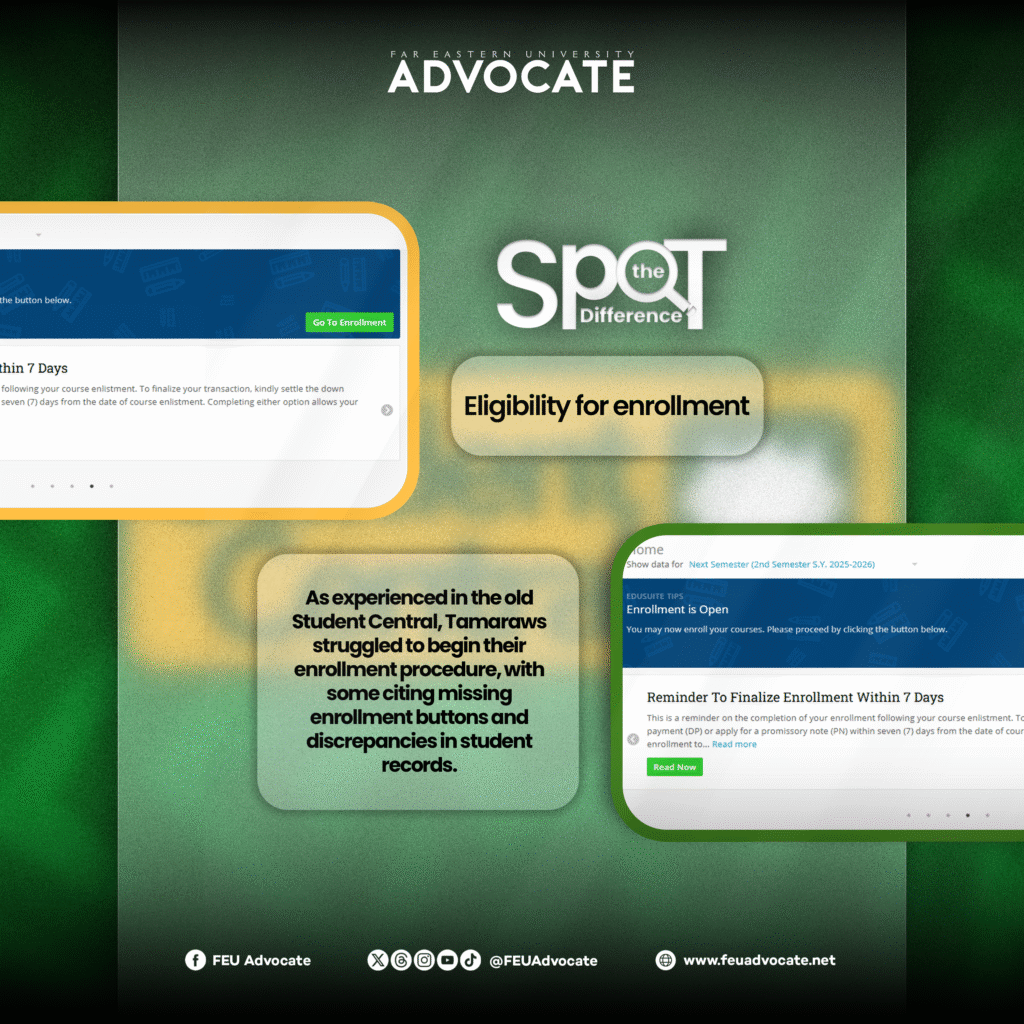
One of the common problems Tamaraws encountered over the past enrollment periods utilizing the former Student Central was being flagged “not eligible” for enrollment despite settling the required fees.
Though students did not receive such a tag in Student Central NEO anymore, the issue takes a new form in missing enrollment buttons, hindering students from accessing the online enlistment portal.
It is to be noted that some of these cases are due to students not yet updating or verifying their personal information in the portal’s profile tab, which is a required preliminary step before enlistment. The button also only shows up during the students’ respective enrollment dates, which vary per program or their student numbers’ year.
However, despite fulfilling the requirement and abiding by their specified schedule, several enrollees like third-year Communication student Ariana Gloria were still unable to access NEO’s enrollment tab right away.
In an online interview with FEU Advocate, Gloria raised that some of her previous course grades do not reflect in the system, preventing her from enrolling in new courses with prerequisites.
“First, the enrollment tab was missing even though I am scheduled for enrollment. Second, the grades of the courses I took from first year until second year were missing. So, I cannot enroll in the courses with prerequisites,” the Communication student explained.
While Gloria's missing enrollment tab has resolved by itself, the discrepancies in her grade records have yet to be addressed as of writing.
“The missing enrollment tab got automatically resolved. Pero ‘yung sa missing grades, hindi pa. I created a TEAH [Tamaraw Easy Assist Hub] ticket nung Monday, pero… wala pa ring reply si Student Central [NEO] until now despite ng multiple follow-ups. Wala ring nasagot sa hotline nila (The missing grades are still not resolved. I created a TEAH ticket last Monday, but Student Central NEO still hasn’t replied despite multiple follow-ups. Also, no one answers in their hotline),” she said.
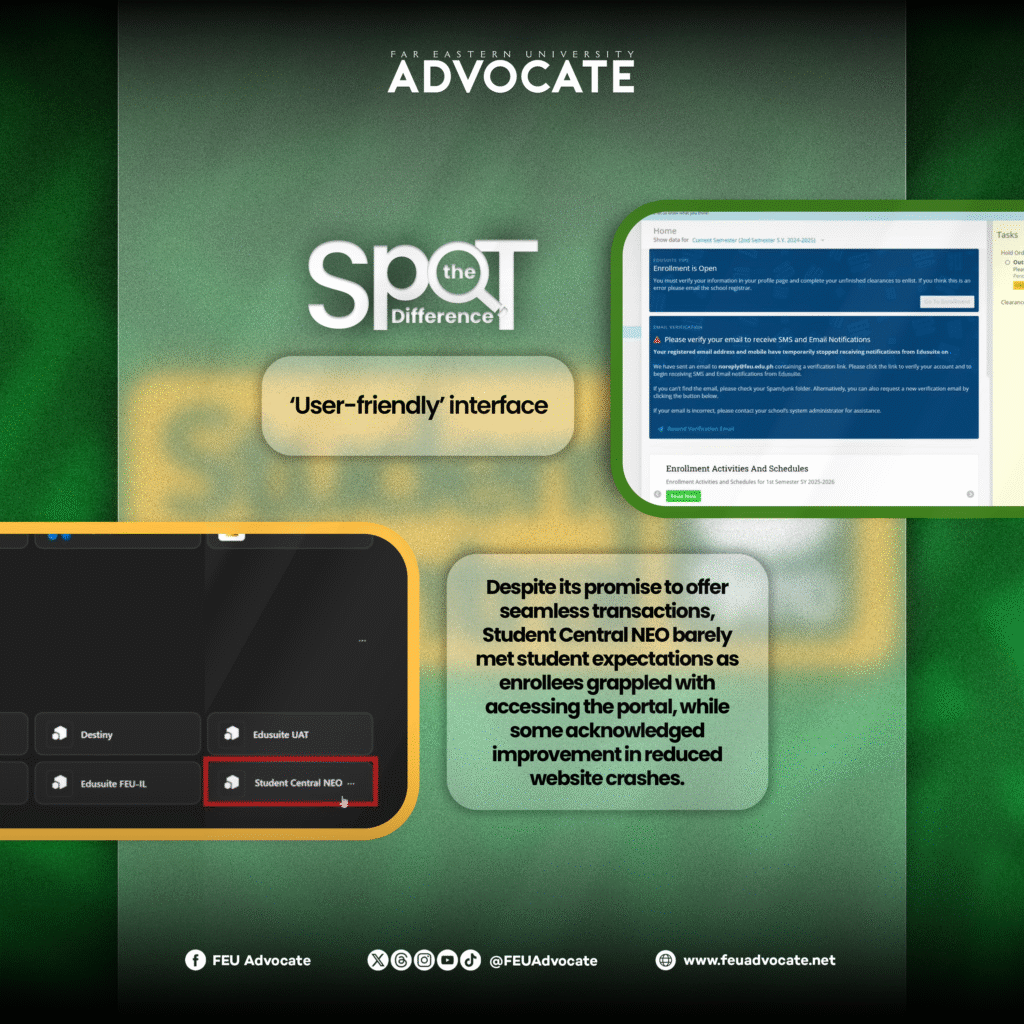
Prior to its launch, the administration confidently underlined Student Central NEO’s efficient interface that would supposedly enable students to process transactions seamlessly, without unnecessary steps.
However, during the new portal’s official implementation, NEO failed to meet student expectations as Tamaraws reportedly struggled in navigating the site and exploring its features for the first time.
“Student Central NEO was a complete disaster. I had a hard time navigating the site, and the site itself was still faulty. It makes it less accessible, considering that it is everyone’s first time using the website,” third-year Nursing student Maria Dominique Elima expressed in a separate online interview.
Tamaraws have also made comparisons between NEO and the previous Student Central’s accessibility, as the new portal requires being accessed through Microsoft 365 rather than running as an independent site.
Per other student reports, however, the online site does not work via Microsoft 365 on other devices and requires being accessed through browsers such as Chrome and Safari.
Meanwhile, the FEU Enrollment Facebook page posted an advisory last December, providing students with an alternative way to access NEO.
As such, second-year Tourism student Ann Kirsten Belen deemed the old Student Central as more ‘straightforward.’
“There's a lot of steps for you to access the [Student Central NEO] since it is under [Microsoft 365]. For the previous Student Central, you could just search it via Google or Safari and it would appear in no time,” she said.
Elima shared similar sentiments, further noting that the only significant improvement observed is experiencing less website crashes.
“The old system was better in my opinion. It’s more user-friendly and is easier to navigate. This current system is a lot harder to use, which is bad considering that FEU promised that the interface will be an upgrade compared to the last one. The only upgrade it had was that the website did not crash, and that’s it,” the Nursing student remarked.
Other students also complimented NEO’s speed in reflecting their plotted schedule and other course adjustments.
“I’ve noticed that the new site was kind of smoother than the previous system—nakikita ko kung paano[ng] mabilis pumili ng schedule and nagre-reflect agad ito (I noticed that plotting the schedule is now quicker and it gets reflected right away),” second-year Political Science student Ashley Shane Mendoza observed in a separate online interview.
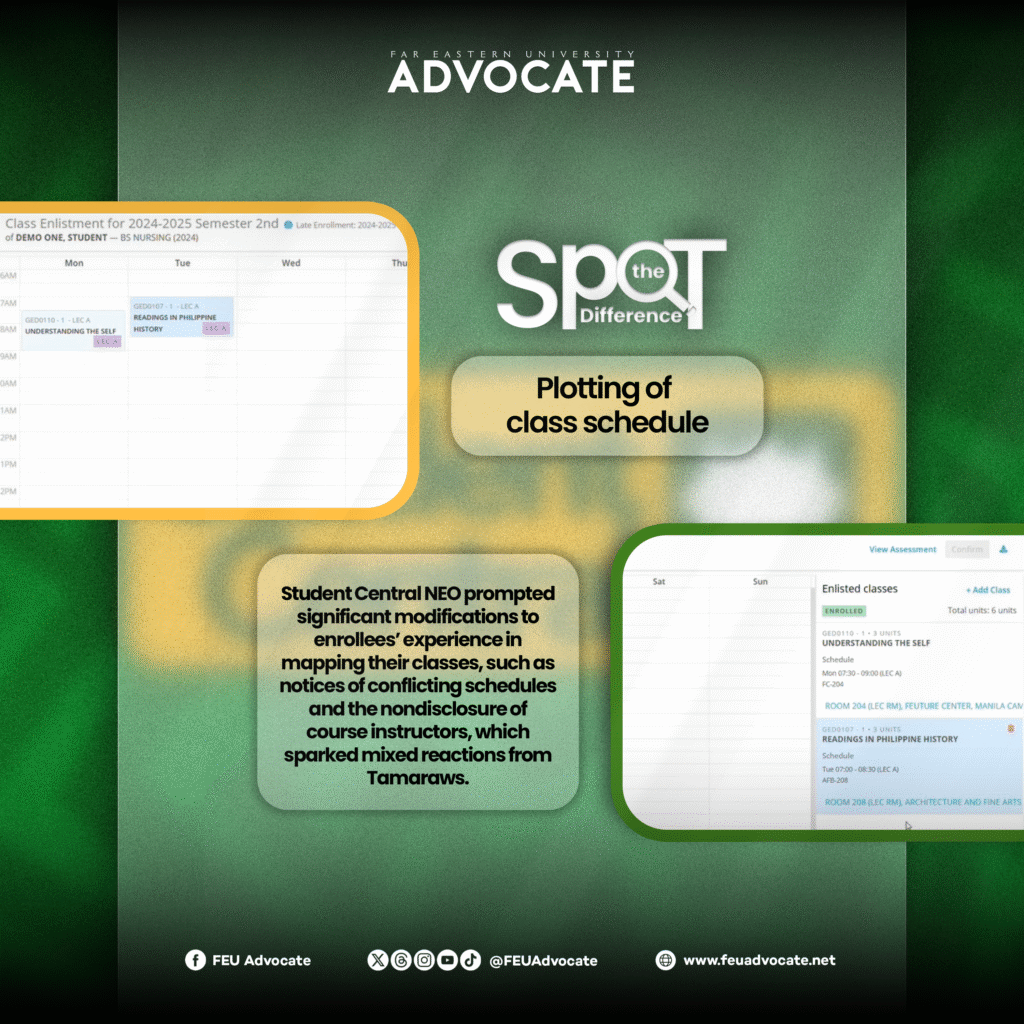
When it comes to the process of plotting class schedules, several changes were observed in Student Central NEO.
Contrary to the previous site, where students need to manually run through their selected courses and sections to ensure the time slots do not clash, NEO now immediately separates classes that conflict with their schedule.
“What I like about the new Student Central is that, during enrollment, you're informed about the sections that would clash or conflict with your selected schedule. You don't have that in the old Student Central,” Belen highlighted.
Another new feature is that students can now navigate and add extra courses that are not necessarily part of their curriculum or year level’s standard course list. This is a significant shift from the old system, where students had to deliberately make requests for overload units or advance courses before they appeared on the portal.
Meanwhile, Student Central NEO no longer discloses the name of course instructors assigned per section in the middle of the enrollment process, limiting the enrollees’ discretion in choosing sections. Students would only be able to know their instructors upon official enrollment and payment of the down payment or tuition fees.
According to Belen, this new setup was unnecessary since it would only compel students to keep adjusting their schedule until their courses are aligned with their preferred instructors.
“If you're going to show it after enrollment anyways, why hide it during enrollment? There's a lot of unnecessary adjustments of course sections because of this,” she raised.
Other students further highlighted the inconvenience of these constant adjustments as it would incur additional fees to their tuition balance.
“Kapag nagpapalit-palit ako ng schedule, nagkakaroon ng unnecessary fees for the adjustment… Dumadagdag lang ito sa tuition fee balance ng isang estudyante (Whenever I change my schedule, I incur unnecessary fees for the adjustment. This just adds up to students’ tuition fee balance),” Mendoza pointed out.
On the other hand, Gloria noted how the change can actually be advantageous for other enrollees as the lack of instructor information may reduce the tight competition for slots.
“It’s an advantage for you to get the liberty of choosing your preferred professor; however, it’s just fair for you not to. Para din sa iba na mag-enroll after you na puwedeng maubusan ng slot,” she claimed.
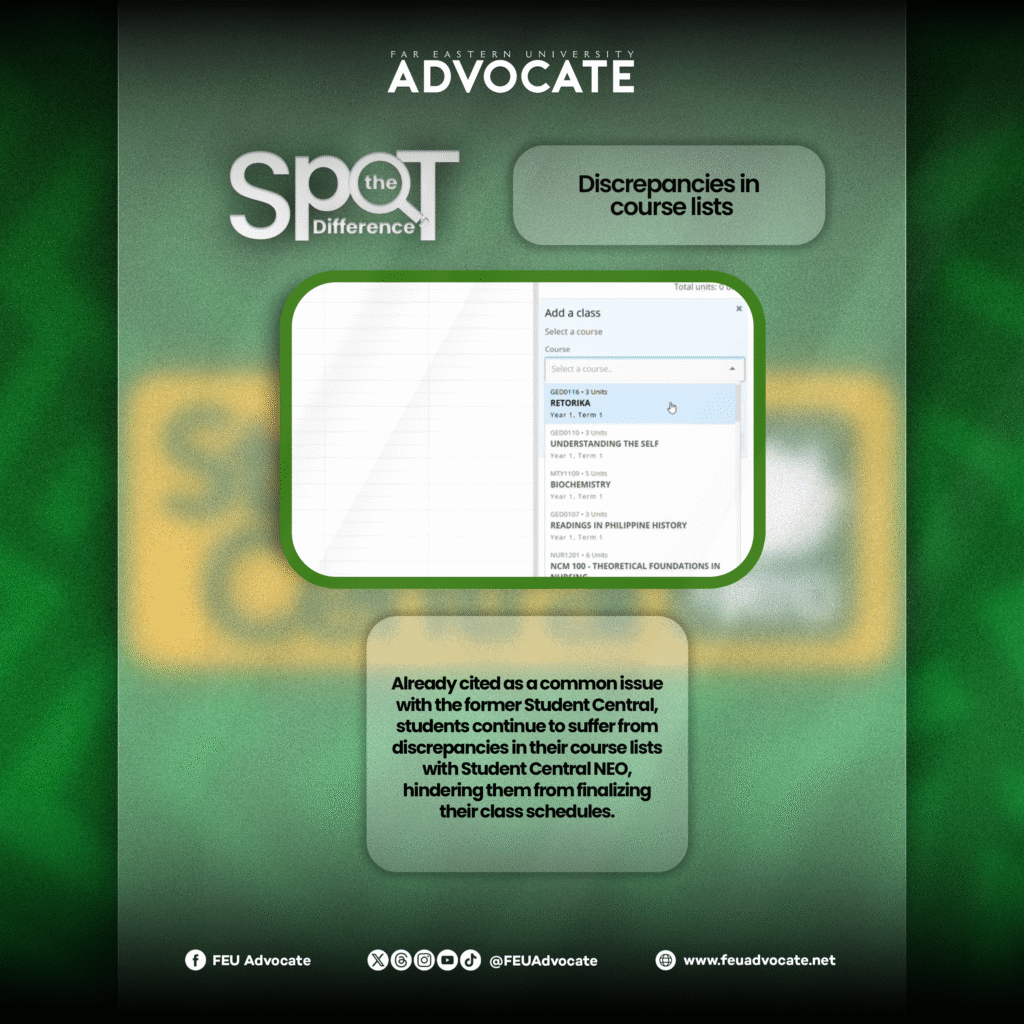
Other consistent issues cited by students while enrolling via the old Student Central are the discrepancies in the courses reflected in the online portal.
This was reportedly still observed in NEO as many students failed to enroll in some of their major and elective courses since they were not displayed in the portal.
As a result, many students were anxious over their incomplete enrolled units, hindering them from finalizing their schedule.
“During enrollment, there were two courses missing in the portal and both are major classes that are necessary in my program. With the two missing major courses, it was difficult for me to proceed with the enrollment because I could not finish the required courses on time and it was still giving me anxiety that I wouldn’t be able to plot my preferred schedule for those courses,” Mendoza said.
Additionally, the Political Science student lamented the possibility of falling behind on the lessons of the missing major courses if they remain unable to enroll, given that the second semester was about to begin on January 12.
As they wait for the issue to be resolved, students who faced the same case opted to enroll in the initial set of available courses, intending to adjust their schedule once the missing subjects are reflected.
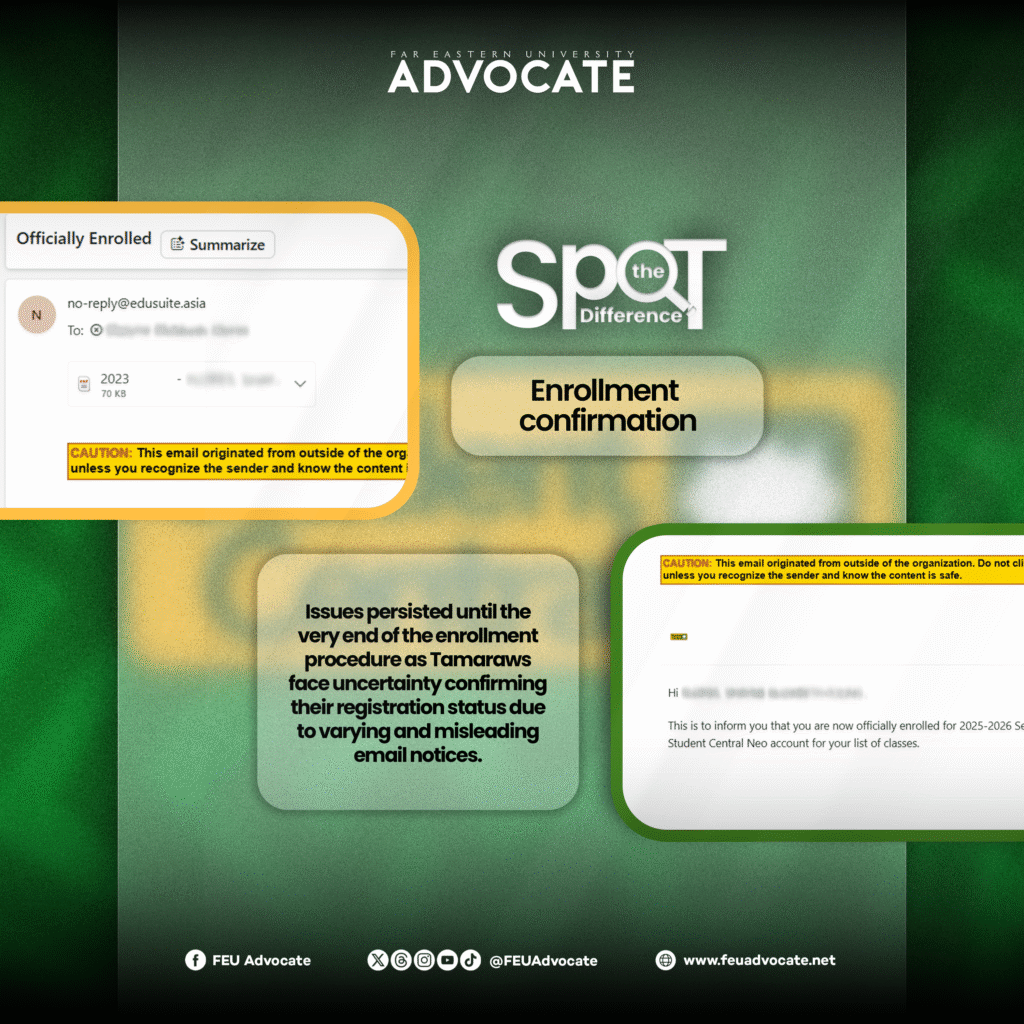
Contrary to the ‘seamless’ transaction it promised, technical issues with NEO persisted until the very end of the enrollment procedure.
Unlike the former Student Central system, which straightforwardly flashed on the site whether the enrollment was successful or not, students had trouble confirming their enrollment via NEO due to varying email notifications.
As part of the new procedure, students would receive an enlistment notice or receipt via Outlook once they have submitted their chosen class schedule. The courses will supposedly be deleted after a week if the student fails to settle the down payment or promissory note (PN).
When the required down payment or PN is fulfilled, a separate email would be sent with a file of the Certificate of Registration attached, officially confirming the student’s enrollment.
Nonetheless, many students have reported inconsistencies between the notification in the online portal and Outlook.
“I had this experience where I received a notification that I had already successfully enlisted. However, when I came to check my Outlook email to check if it actually pushed through, I’ve never received an email of the confirmation. Imagine, I had to wait for hours and hours—hours of countless back and forths on the portal, only [for it] to tell me I had an error on the scheduling. When I tried to fix it or when I tried enlisting myself into a new block section, it didn’t allow me to do that. It kept showing up as an error,” Elima stated.
In the One Piyu Community Facebook group, numerous Tamaraws reported receiving enlistment and enrollment confirmation via Outlook despite not processing their enrollment yet, which stirred further confusion.
On the other hand, some enrollees also falsely received email notifications requiring them to pay for a higher down payment rate than the standard ₱9,000, despite having already paid their balance. When the affected students raised the issue to the administration, they were reportedly advised to disregard the initial payment notice.
Due to this string of concerns and confusion surrounding Student Central NEO, many students opted to enroll on-site rather than online.
“The reason why we’re having online enrollment is for us to lessen the hassle of going to school just to be enrolled. But that’s not the case now, we still have to go to school just so we can enroll. The online enrollment is losing its point,” Gloria pointed out.
According to students, to truly address enrollment concerns, the administration should have fixed and improved the flaws of the old Student Central system instead of outright disabling and replacing it with a new one.
“Don't just change and replace something that's not totally broken. Fix it. They could've just fixed the previous Student Central to achieve their aim of smoother enrollment and other processes. There's always trying something new that would end up as mediocre or [have] below average performance,” Belen added.
Meanwhile, FEU Advocate tried reaching out to the Information Technology Services Office for their side of the issue but has yet to receive a response as of writing.
Over the past semesters and school years, Tamaraws have constantly demanded an efficient enrollment experience. Just as the administration claimed to have answered these concerns by introducing Student Central NEO, students appeared to have struggled even more in the face of recurrent and new obstacles, reflecting the persisting gap between FEU’s proposed remedy and Tamaraws’ actual needs.
(Layout by Armina Juliana Guerrero/FEU Advocate)